
It is a modular intranet system designed for managing corporate and production data.
It is specially developed for the rapid implementation of end-user requirements.
The system runs on a corporate web server.
No installation of programs is required for employees, who have constant access to the latest version of the software.
All inputs and outputs of the application are designed exactly according to customer requirements. They can be data from the keyboard, barcode or RFID code readers, PLC...
Examples of use
- Recording process data from production (measured physical quantities, times, digital inputs and outputs) into a database.
- Recording production progress (downtimes, production changes, failures, produced quantities, rejects).
- Data visualization (reporting and exports to XLS or CSV files).
Example of real system deployment
Users with a user account have access to the application. Individual users can be assigned different access rights.

The application has three basic parts:
- Administrative part
- Production part - Shifts
- Technological part

Administrative part
In this part of the application, you can set:
- System (IP addresses, language, display...).
- User accounts.
- Production (departments, products, shifts, produced quantities...)
- Database backup schedule.
Production section
In the production section, it is possible to view and edit data related to production such as shifts, production, line status, and quantities produced.
Data on shifts and production are displayed in tabular form
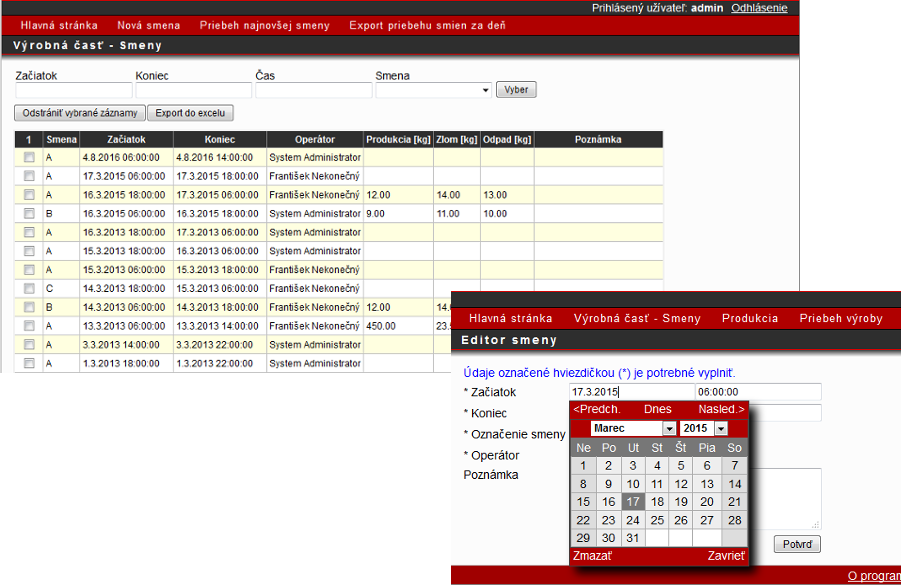
Production can be added and edited for each shift.
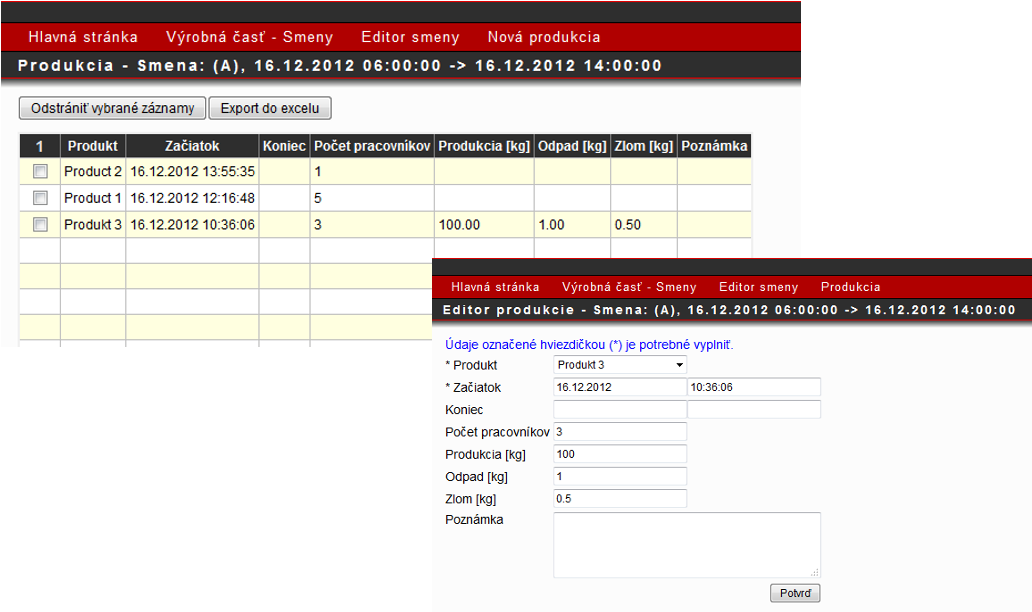
The production process can be monitored in tabular form.

or in graphic form.
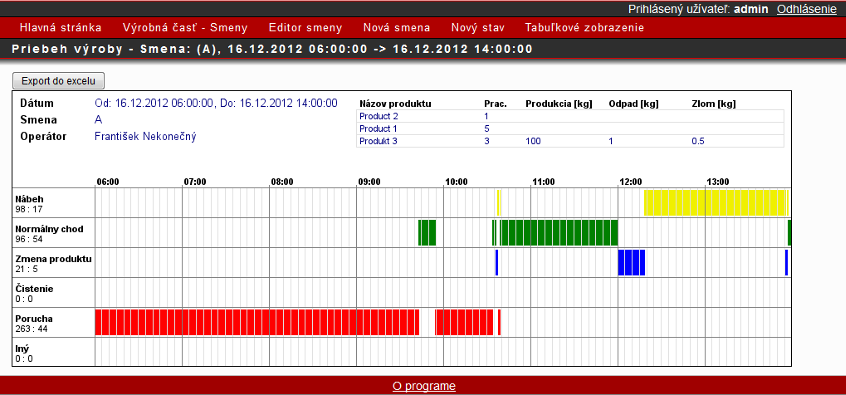
You can switch from the tabular or graphical display to the editing mode.
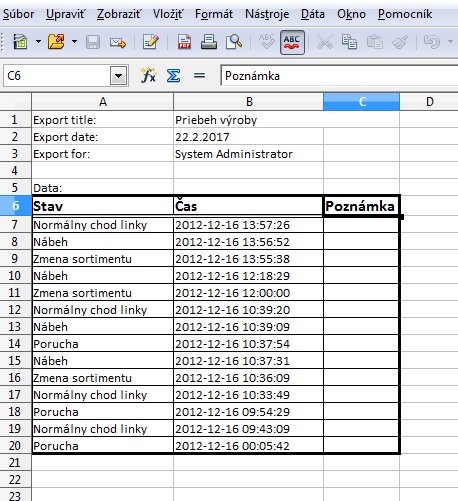
Data can be exported to Microsoft Excel or OpenOffice Calc.
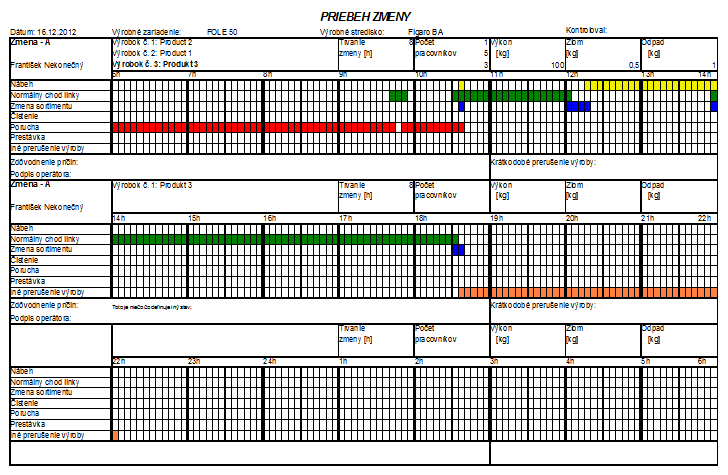
Technological part
The technological part visualizes data that has been collected from the production process such as digital outputs or measured analog quantities. Technological data can be displayed in tabular or graphical form.
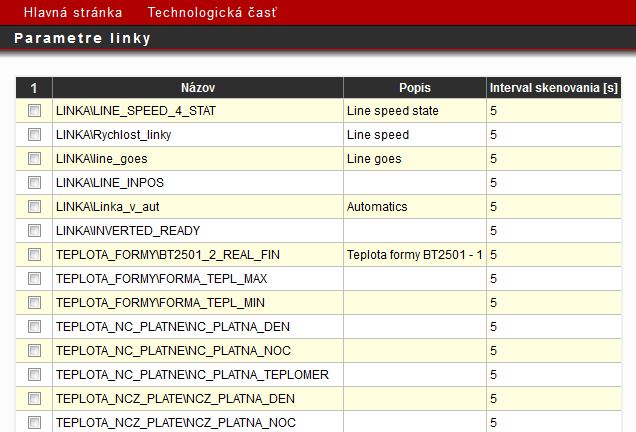
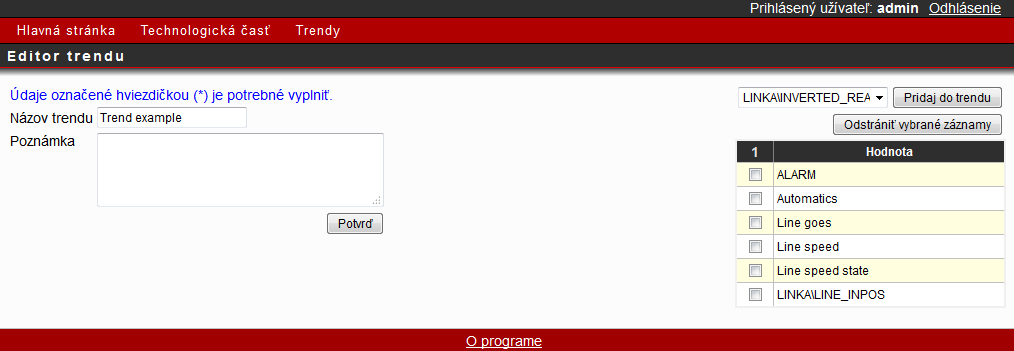
It is possible to create groups from individual technological data, which makes the overall view of them clearer. This is advantageous because some data are related to each other.
Graphic display of technological data
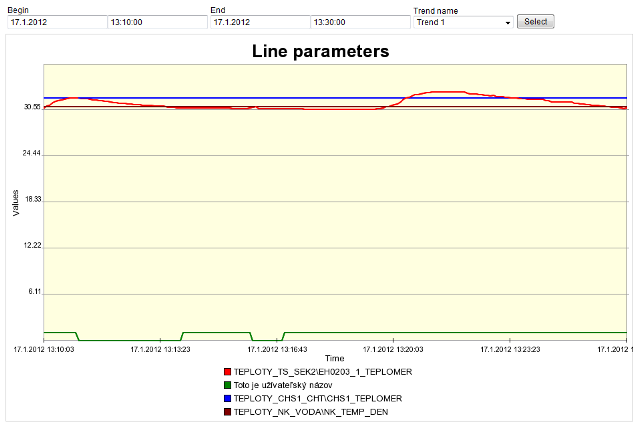
Table display of technological data
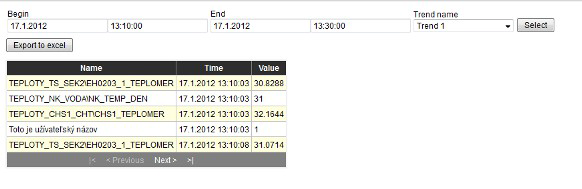
Technological data can be obtained:
- From existing line control systems (software access to PLC memory). Data can be obtained from Omron, Siemens, B&R control systems, if these are equipped with Ethernet communication modules, have memory access and the memory structure is sufficiently known.
- By creating new physical quantity sensors or digital inputs.
Communication between the data collection point and the server is implemented in two ways:
- Wirelessly via XBee protocol.
- Ethernet.
The physical server runs the MySQL database server (MariaDB) and the Apache web server. The server operating system can be LINUX – Debian, Ubuntu or Windows.